
Mobile (IOS) Settings
For secure and convenient access to Eduroam, registration of the certificate is required upon the initial use, either automatically or manually
Please follow the setup guide below

Guide(eduroam for IOS)
- If you are using Iphone or Ipad with IOS, refer to the guide below for setup
- If you need to delete, please follow the delete guide and then proceed with the re-setup
- Your portal ID and password refer to your KUPID ID/PW, and please note that it takes 10 minutes for synchronization after you change your password on the portal
- That can differ depending on the version of IOS
Settings
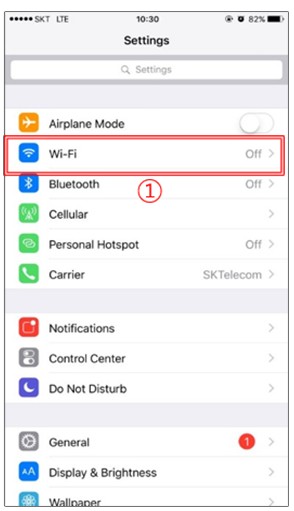
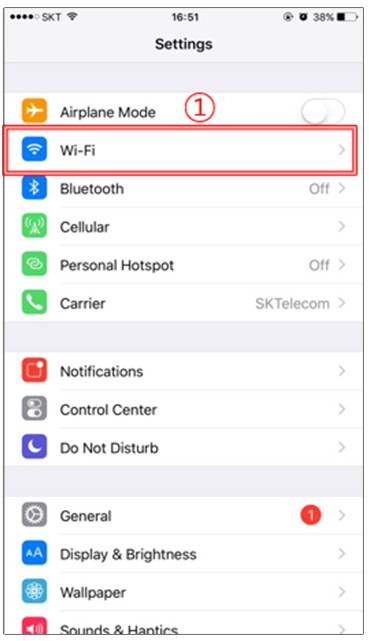
1. Settings > Wi-Fi
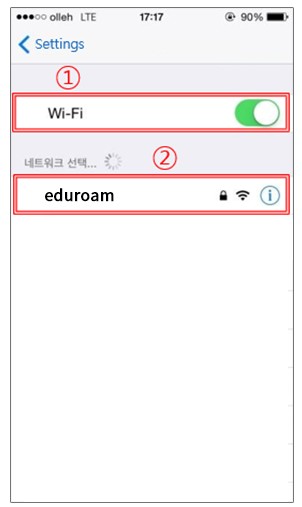
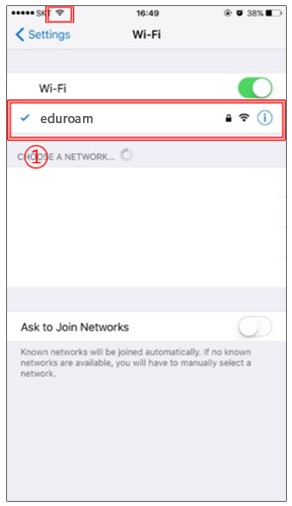
2. Start Wi-Fi > Click eduroam
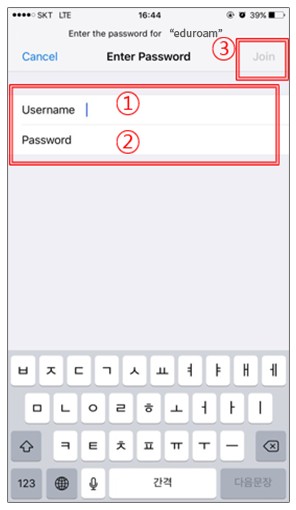
3. Username(KUPID ID@korea.ac.kr) > Password(KUPID PW) > click the connection
4. Click Certificate Trust
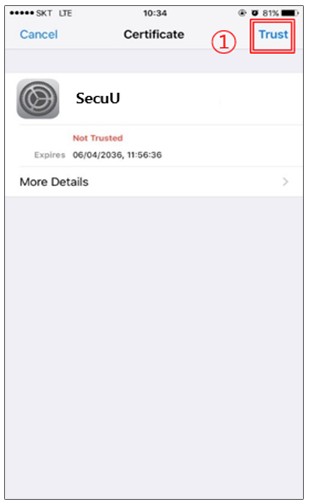
5. Connection complete
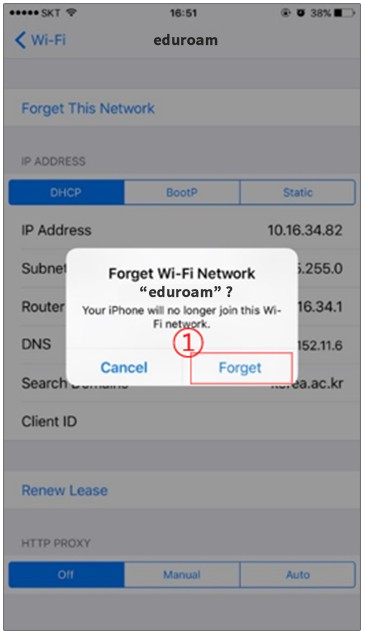
Delete
1. Setting > Click Wi-Fi
2. Connected Select eduroam
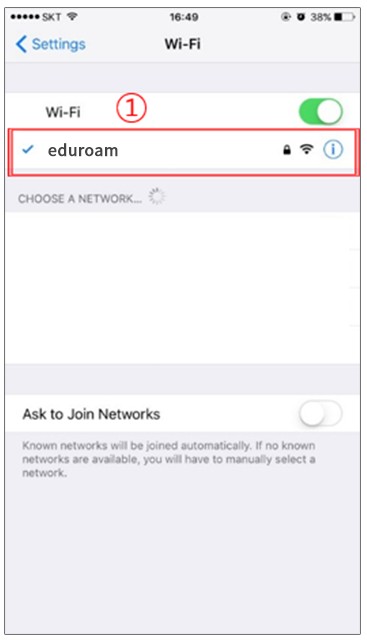
3. Click Forget this network
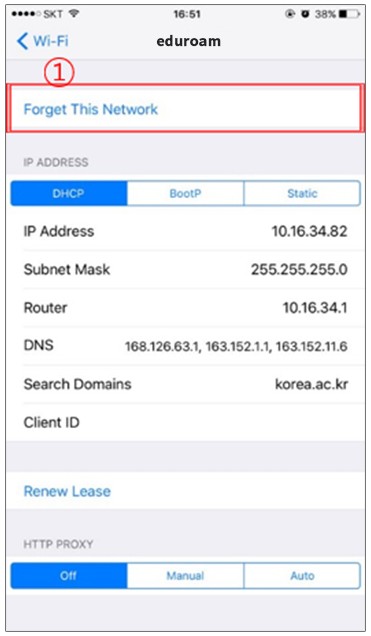
4. Click Forget